

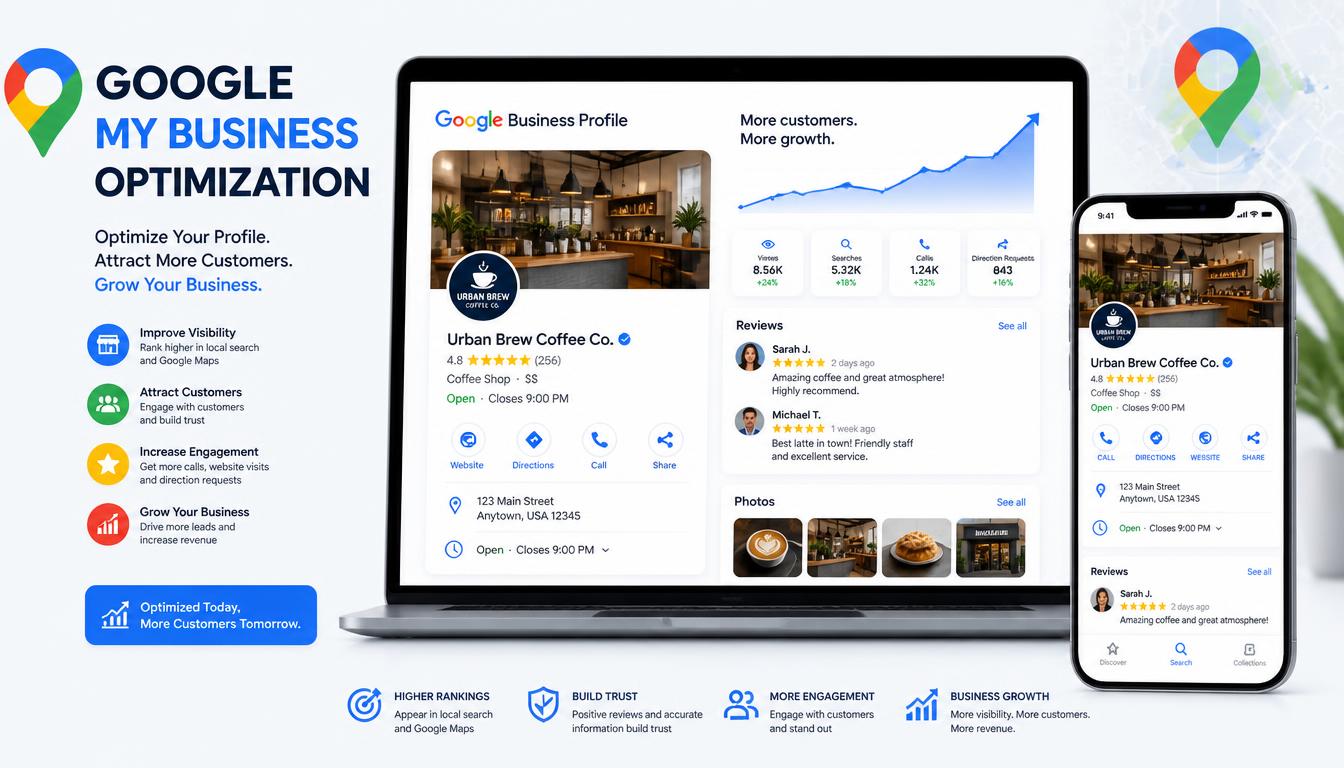
Google My Business (GMB) has become an indispensable tool for local businesses seeking visibility in today’s digital landscape. With 201K monthly searches for “Google My Business,” the platform’s importance cannot be overstated. When potential customers search for products or services near them, Google My Business listings often appear prominently in the “Local Pack”—those top three business listings with a map that dominate search results above traditional organic listings.
The statistics speak volumes about GMB’s impact. Businesses with fully optimized GMB profiles are significantly more likely to appear in local search results, drive foot traffic, and generate phone calls. In fact, Google reports that complete business profiles receive 7 times more clicks and 50% more visits to their websites compared to incomplete profiles. This makes GMB optimization not just beneficial, but essential for any business serving local customers.
Understanding what customers are searching for provides valuable insight into optimization priorities. The keyword research reveals crucial search patterns: “Google business description” (170 searches), “Google business profile description” (30 searches), “Google my business listing” (8.1K searches), and “Google my business optimization” (720 searches) indicate that users are actively seeking guidance on creating effective descriptions, managing listings, and implementing optimization strategies. These search volumes represent real people looking for solutions to improve their local online presence.
2. Getting Started: Account Setup & Verification
Creating a Google My Business account begins with a straightforward process, but many businesses encounter hurdles during verification. The 4.4K monthly searches for “Google my business verification” highlight how important this step is—and how many users need guidance on completing it successfully.
Account Creation Process
- Sign up: Visit business.google.com and click “Manage now”
- Sign in: Use your Google account or create one specifically for business purposes
- Enter business name: Use your exact legal business name—avoid adding keywords unless they’re part of your official name
- Add location: Choose whether you serve customers at your location or at their locations
- Contact information: Provide phone number and website URL
Verification Methods
Google offers several verification methods, each with its own timeline and requirements:
- Postcard verification: Most common method. Google sends a postcard with a verification code to your business address. Typically arrives within 5-14 days. You then enter the code in your GMB dashboard.
- Phone verification: Available for some businesses. Google calls your business number with a code. Immediate verification possible.
- Email verification: Less common, but available for certain business types. Code sent to associated email address.
- Instant verification: For businesses already verified with other Google services (like Search Console). Leverages existing verification status.
Common Verification Issues
Many businesses encounter problems during verification. Understanding these can save time and frustration:
- Address discrepancies: The address must match exactly what Google has on file or what the postal service recognizes.
- Business name violations: Using keywords in the business name (e.g., “Best Pizza New York”) violates Google’s guidelines and can lead to suspension.
- Service area businesses: Must properly define service areas rather than hiding the address entirely.
- Multiple locations: Each physical location requires separate verification.
Once verified, businesses gain access to the full suite of GMB features and can begin optimization.
3. Optimizing Your Business Listing
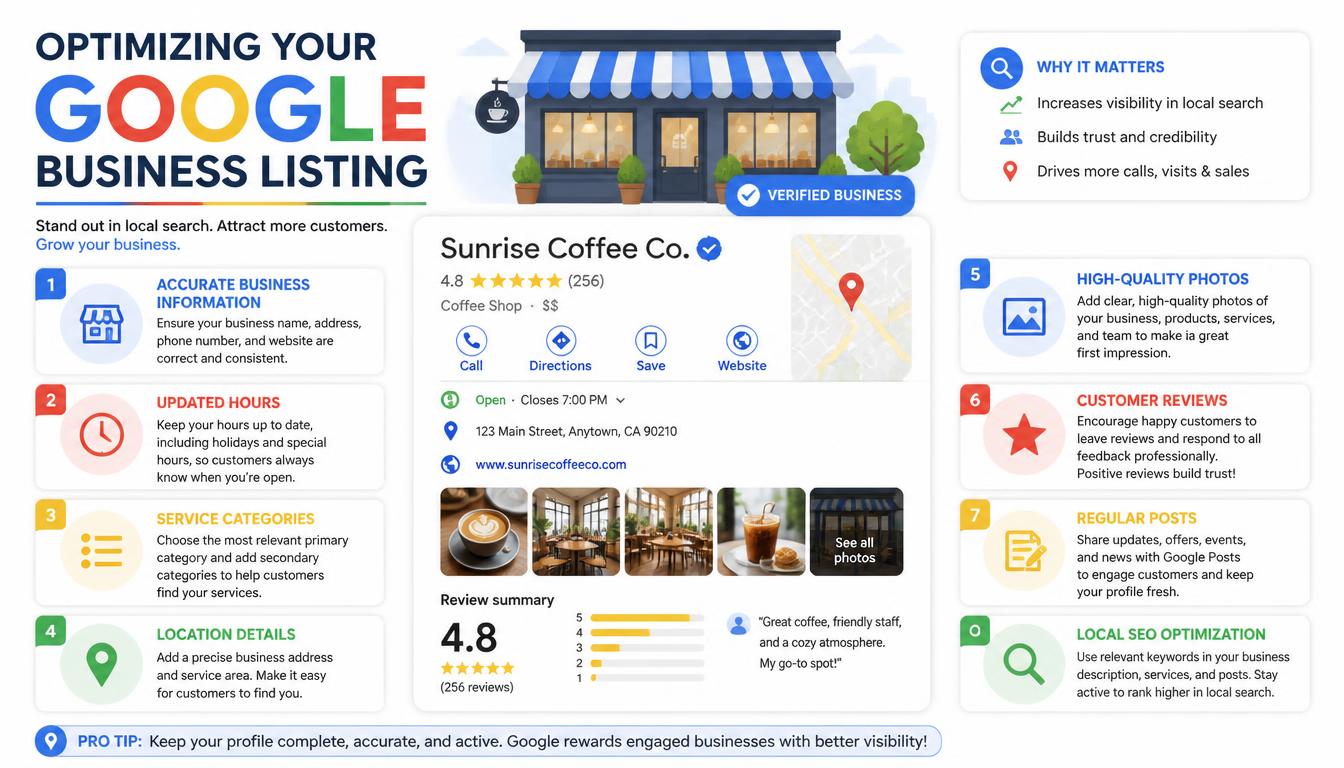
With 8.1K monthly searches for “Google my business listing,” it’s clear that businesses seek guidance on creating compelling, complete listings. Optimization involves multiple elements working together.
Business Name & Category Selection
The business name is one of the most important optimization factors. Best practices include:
- Use your exact legal business name as registered with state/local authorities
- Avoid adding location descriptors, slogans, or keyword stuffing
- If your name naturally includes a descriptor, that’s acceptable—but don’t add them solely for SEO purposes
Category selection helps Google understand your business type and match you with relevant searches. Choose the most specific category that describes your primary business function. You can select one primary category and multiple secondary categories. Research categories thoroughly—Google regularly updates its category list, and choosing the wrong category can limit your visibility.
Contact Information & NAP Consistency
NAP (Name, Address, Phone) consistency across all online platforms is crucial for local SEO. Your GMB listing’s NAP must match your website, social media profiles, directory listings, and any other online mentions. Inconsistencies confuse search engines and can hurt rankings.
- Use a local phone number rather than toll-free whenever possible
- Format address consistently (street abbreviations, suite numbers, etc.)
- Ensure website URL directs to the correct page, typically your “Contact” or “Location” page
Hours of Operation
Accurate hours impact both customer experience and local search performance. Set:
- Regular business hours
- Holiday hours (Thanksgiving, Christmas, etc.)
- Special hours for events or promotions
- Remove “temporarily closed” status when open
Google factors operating hours into “near me” search rankings, and customers often filter by open/closed status.
Service Areas
For businesses serving customers at their location or at customers’ locations, properly defining service areas is essential. Be specific but not overly restrictive. Include cities, neighborhoods, and zip codes you serve. Remember that service area businesses can choose to hide their physical address while still appearing in relevant searches.
4. Crafting Compelling Descriptions
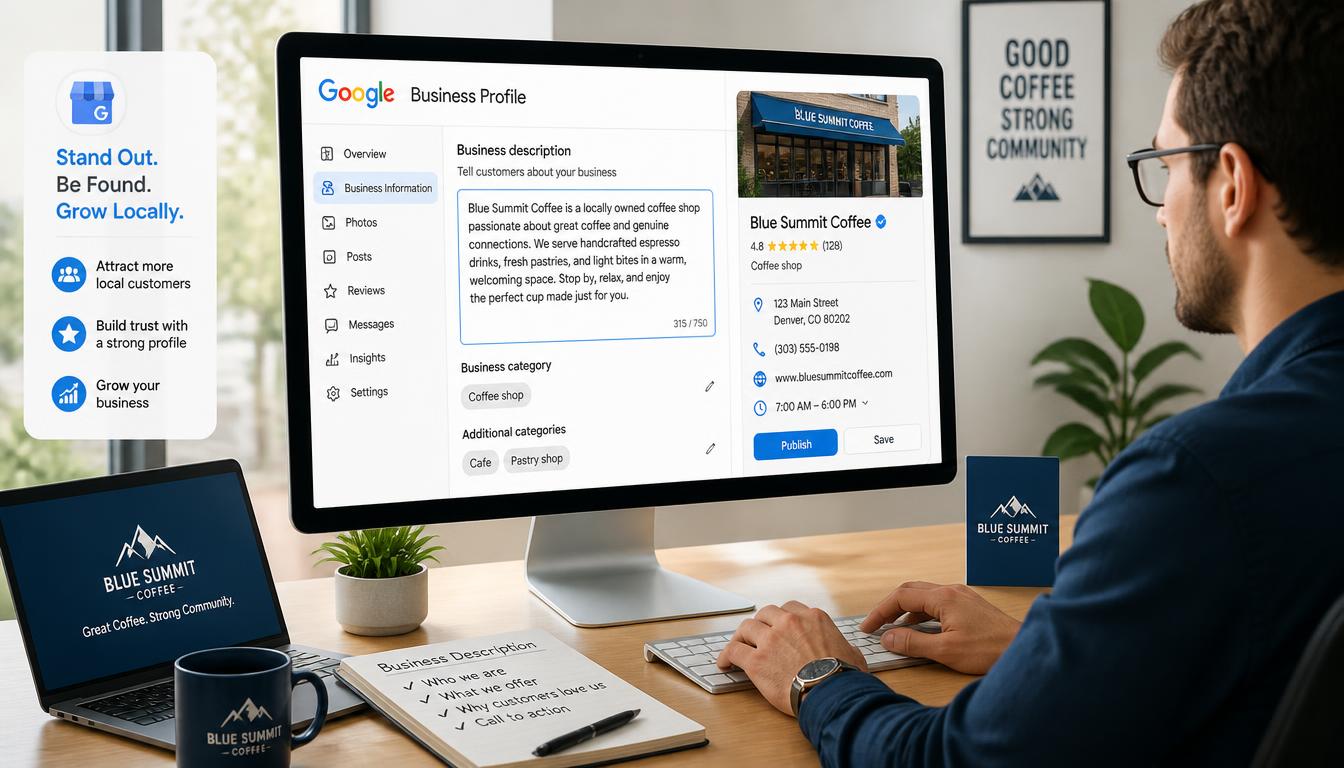
The keyword research shows significant interest in descriptions: “Google business description” (170 searches), “Google business profile description” (30 searches). These brief yet critical elements often determine whether users click through to learn more.
Business Description Optimization
Your GMB business description appears below your business name in search results. It’s limited to 750 characters, but the most important information should come in the first 200 characters. Best practices include:
- Lead with your value proposition: What makes you different? Years in business? Unique services?
- Naturally incorporate primary keywords: But avoid keyword stuffing—readability comes first
- Include a call-to-action: “Call now,” “Visit us today,” “Book an appointment”
- Highlight unique selling points: Free estimates, extended hours, family-owned, etc.
- Keep it fresh: Update description seasonally or when promotions change
Example Templates
Restaurant: “Family-owned [Restaurant Name] has been serving authentic Italian cuisine in [City] since [Year]. Specializing in homemade pasta, wood-fired pizzas, and extensive wine selection. Open for lunch and dinner. Make reservations today or order online for delivery!”
Plumber: “[Plumber Name] provides reliable plumbing services throughout [Service Area]. Emergency repairs, drain cleaning, water heater installation, and routine maintenance. Licensed, insured, and available 24/7. Call [Phone] for fast, affordable service.”
Retail Store: “Welcome to [Store Name], your local destination for [Product Category] in [City]. We offer [Unique Feature/Selection] at competitive prices. Conveniently located at [Address]. Open [Hours]. Free gift wrapping with every purchase!”
Profile Description (Meta Description)
The 30 monthly searches for “Google business profile description” suggest interest in the meta description element. While not directly part of GMB, the description that appears when users click through to your website from GMB matters for SEO. Ensure your website’s meta descriptions are compelling, include target keywords, and match the user intent from GMB searches.
5. Managing Your GMB Profile
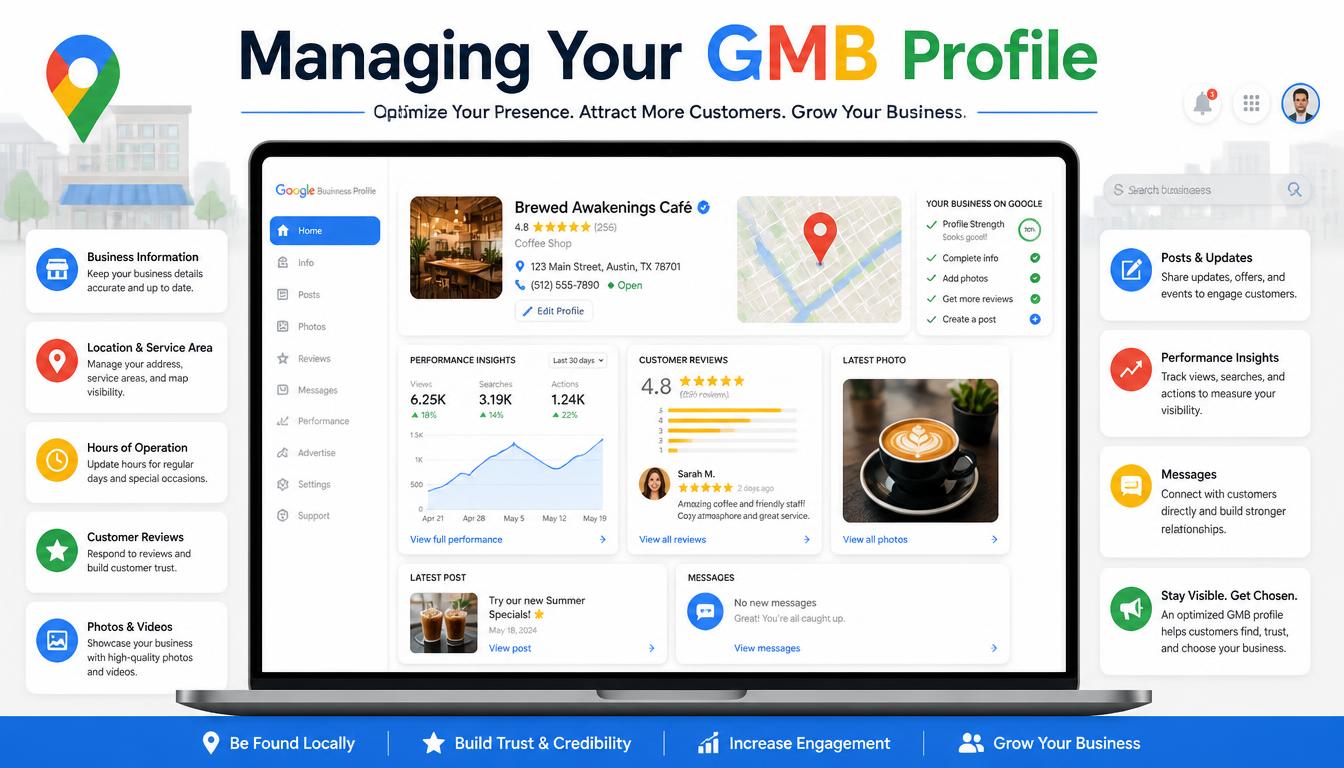
With 6.6K monthly searches for “Google My Business Manager,” understanding dashboard navigation and profile management is crucial for businesses maximizing their GMB investment.
Dashboard Overview
The GMB dashboard serves as your command center. Key sections include:
- Info: Business information (hours, categories, contact details)
- Posts: Create and manage GMB posts
- Reviews: Monitor and respond to customer reviews
- Insights: Analytics about how customers find and interact with your listing
- Messages: Direct customer communication feature
- Booking: Integration with appointment scheduling systems
- Menu/Products: For restaurants and retail establishments
User Roles & Permissions
Businesses often need multiple people accessing GMB. Google allows:
- Owners: Full control, can manage all settings and verify location
- Managers: Can manage most aspects but can’t transfer ownership or delete the listing
- Site managers: Can manage the website connected to GMB
- Communications managers: Can respond to messages and reviews
- Insights managers: Can view analytics but not make changes
Assign roles based on responsibility needs. For most small businesses, one owner and one communications manager suffices. Larger operations may need multiple managers with different focus areas.
Multiple Location Management
Businesses with multiple physical locations can manage them all from a single GMB account. Best practices include:
- Create a separate listing for each location
- Ensure each has unique name, address, phone number
- Use consistent categories across all locations
- Centralize management through Business Profile manager
- Monitor each location’s performance separately
The Business Profile manager streamlines multi-location oversight, allowing bulk updates and consolidated analytics viewing.
6. GMB Posts & Regular Updates
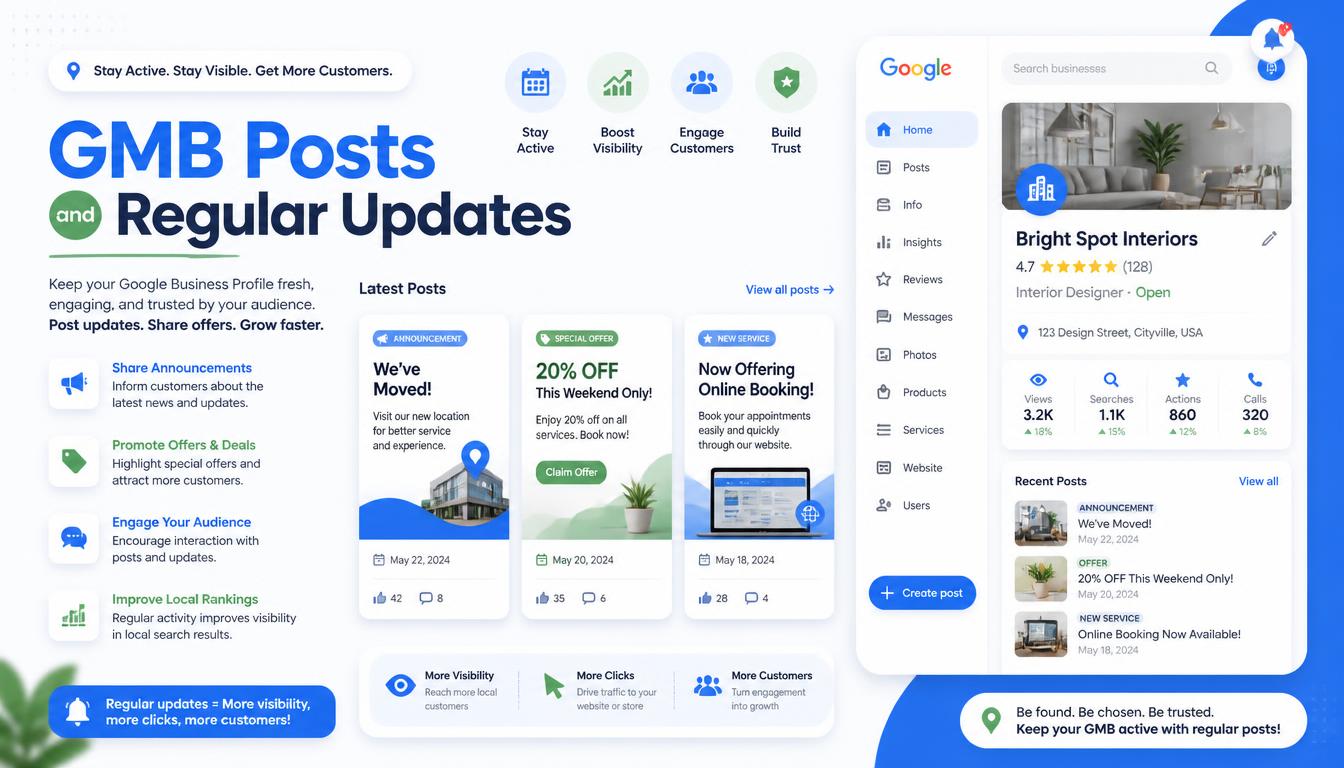
Regular posting keeps your GMB listing fresh and engaging. While not directly a ranking factor, posts increase user engagement and can influence click-through rates.
Post Types & Strategies
GMB supports several post types:
- Offers: Time-limited promotions with start/end dates, redemption details
- Events: Upcoming events, workshops, openings, anniversaries
- Products: Showcase specific products with images, prices, descriptions
- Updates: General announcements, news, blog posts, seasonal messages
Posting Frequency & Timing
- Minimum: At least once per month to show active management
- Recommended: 1-2 posts per week for optimal engagement
- Maximum: Google may limit frequency if posting excessively
Post timing matters for engagement. Consider:
- Lunch/early afternoon for restaurant specials
- Evening hours for event promotions
- Weekend posts for retail discounts
- Consistent scheduling builds audience expectations
Performance Tracking
Monitor post performance through Insights metrics:
- Views: How many users saw your post
- Actions: Clicks to website, calls, direction requests
- Engagement rate: Actions divided by views
Use this data to refine content strategy—double down on post types generating the most valuable actions.
7. Images & Visual Optimization
Visual content significantly impacts GMB performance. Listings with photos receive 42% more direction requests and 35% more website clicks compared to those without images.
Recommended Image Types & Specifications
- Profile photo: Logo or headshot, 250×250 pixels minimum
- Cover photo: 1080×608 pixels, showcases your business exterior or branding
- Exterior photos: Building facade, signage, storefront
- Interior photos: Dining areas, salon stations, retail shelves, waiting rooms
- Team photos: Staff headshots, group photos working
- Service photos: Before/after transformations, product showcases
- Menu photos: For restaurants—appetizers, main courses, desserts
- Product photos: Best-sellers, new arrivals, featured items
Technical Specifications
- Format: JPEG or PNG recommended
- Size: Under 5MB per image
- Resolution: Minimum 720p, ideally 1080p or higher
- Naming: Use descriptive filenames before uploading (e.g., “best-pizza-new-york.jpg” not “DSC001.jpg”)
- Alt text: Add descriptive alt text when uploading—this aids accessibility and provides additional context to Google
Photo Posting Schedule
Consistency matters as much as quantity. Recommended schedule:
- New businesses: 5-10 photos immediately upon verification
- Ongoing: Add 2-4 new photos monthly
- Seasonal updates: Refresh photos for holidays, seasons, renovations
- Event documentation: Post photos from special events, promotions
Image Optimization Best Practices
- Show your best face forward—literally. High-quality, well-lit photos perform better
- Include images of team members to build trust and personal connection
- Show your physical space to set accurate customer expectations
- Use authentic photos rather than stock images when possible
- Optimize file sizes for fast loading—compress images without significant quality loss
- Regularly rotate photos to keep listing fresh and engaging
8. Reviews & Reputation Management
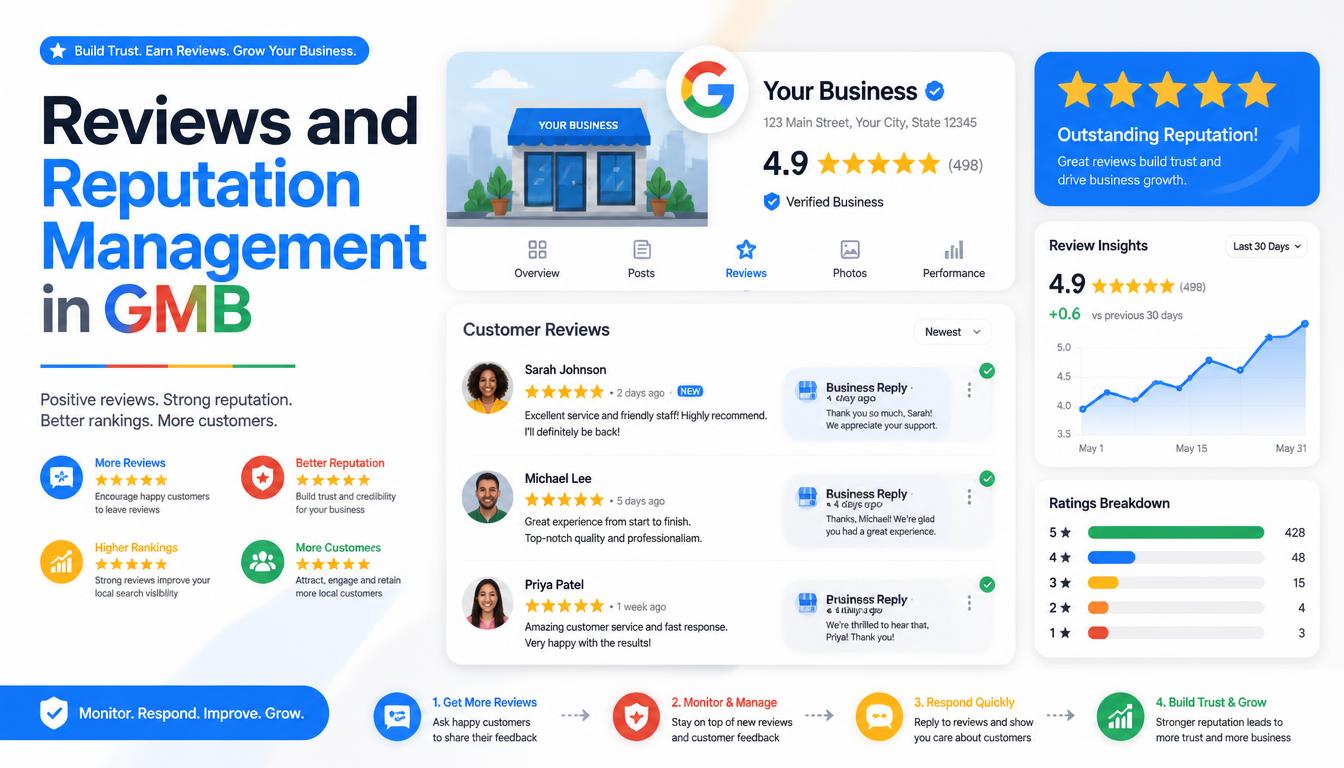
Online reviews directly impact local search rankings and consumer trust. The 4.4K monthly searches for “Google my business customer service” indicate many businesses seek guidance on review management.
Review Generation Strategy
Proactively generate reviews through legitimate means:
- Ask at peak moments: Request reviews after positive customer experiences—successful service completion, purchase, or interaction
- Make it easy: Provide direct links to your review page (Google makes it easy to create review links)
- Train staff: Include review requests as part of service completion procedures
- Follow up: Email or SMS follow-ups 3-7 days after service completion
- Incentivize carefully: Never offer money or discounts for reviews (violates Google policy). Instead, offer entry into a monthly drawing for reviewers
Responding to Reviews
Thoughtful responses demonstrate customer care and influence potential customers.
Positive reviews: Thank specifically, reference mentioned details, encourage return visits
Constructive negative reviews: Acknowledge concerns, offer offline resolution, demonstrate commitment to improvement
Spam/fake reviews: Flag through GMB dashboard; provide evidence if disputing
Review Response Templates
Positive: “Thank you [Customer Name] for your kind words! We loved having you and look forward to serving you again soon. [Business Name] Team”
Negative: “We’re sorry to hear about your experience, [Customer Name]. We take feedback seriously and would love to make this right. Please contact us at [phone/email] so we can resolve this directly.”
Review Filtering & Policy Compliance
Understand why reviews may not appear:
- Filtering algorithm: Google filters reviews based on various factors (review history, reviewer activity, content patterns)
- Policy violations: Reviews containing prohibited content, conflicts of interest, or incentivized content may be removed
- IP addresses: Multiple reviews from same IP address may trigger scrutiny
- Reviewer authenticity: New accounts or accounts with limited history may have reviews delayed
Monitor filtered reviews periodically and follow up with Google if legitimate customer reviews are incorrectly filtered.
Leveraging Reviews for Local SEO
Reviews contain valuable keyword-rich content that Google analyzes. Encourage customers to mention specific services, products, or aspects of their experience. While you can’t control review content, you can influence it through service quality and gentle guidance in review requests.
9. GMB Features & Advanced Optimization
Beyond basic optimization, numerous GMB features can enhance both user experience and search performance.
Q&A Section
The Questions & Answers section appears directly in search results. Best practices:
- Monitor regularly: Check Q&A daily, especially for new businesses or during promotions
- Answer promptly: Respond to questions within 24 hours whenever possible
- Provide comprehensive answers: Don’t just say “call us”—actually answer the question
- Use keywords naturally: When appropriate, include service-related terms in answers
- Ask and answer your own questions: If no one’s asking, proactively add common questions and answers
Booking Integration
For service businesses, booking integration streamlines customer acquisition:
- Connect with popular booking platforms (WhenToWork, Vagaro, etc.)
- Ensure availability reflects real-time capacity
- Set service durations accurately
- Enable online payment options if applicable
- Monitor booking conversion rates through Insights
Menu & Service Catalog
Restaurants and service businesses benefit from detailed menus/catalogs:
- Restaurants: Complete menu with prices, dietary markings (vegetarian, gluten-free), enticing descriptions
- Service businesses: List all services with pricing, duration, and brief descriptions
- Retail: Featured products with pricing and availability
- Keep information updated—seasonal menus, price changes, unavailable items
Attribute Selection
GMB attributes are predetermined characteristics that help customers find businesses with specific features. Choose relevant attributes from the full list:
- “Women’s restroom,” “Men’s restroom,” “Unisex restroom”
- “Wheelchair accessible,” “Wheelchair accessible entrance”
- “Free WiFi,” “Takeout,” “Delivery,” “Dine-in”
- “Gender-neutral restroom,” “LGBTQ+ friendly”
- “Outdoor seating,” “Live music,” “Pet friendly”
Select all applicable attributes—these appear in search filters and can significantly impact discoverability for customers with specific requirements.
Insights Analytics Interpretation
The Insights section provides valuable data about how customers find and interact with your listing. Key metrics include:
- How customers find your business: Direct search (searching your business name) vs. discovery search (finding you through category, keywords, or location)
- Where customers come from: Google Search vs. Google Maps
- Actions taken: Website clicks, direction requests, phone calls, photo views
- Customer demographics: Age ranges, gender (aggregated, anonymized)
- Peak times: When customers are searching and interacting
Use these insights to optimize posting times, refine category selection, and understand which marketing efforts drive GMB engagement.
10. GMB Advertising & Promotion
While organic GMB optimization is free, Google offers advertising options within the ecosystem.
Google Local Service Ads
LSA appears at the very top of search results with a “Google Guaranteed” badge. Businesses pay per lead (phone call, message, or booking) rather than per click. Benefits include:
- Prime placement above organic results and regular Ads
- Pay-per-lead model (no charge if no contact)
- Google screening and background checks for qualified providers
- Lead forwarding directly to your business phone
GMB Ad Campaigns
Traditional Google Ads can complement GMB optimization:
- Local Campaigns: Automatically optimize across Google Search, Maps, YouTube, and Display for maximum conversions
- Smart Bidding: Let Google’s machine learning optimize for calls, direction requests, or website visits
- Ad Extensions: Add sitelinks, callouts, and structured snippets to enhance ad visibility
Promote Your Business Feature
Within GMB dashboard, the “Promote” feature allows boosting posts or adding a “Book” button. Useful for:
- Special promotions or limited-time offers
- Driving specific actions (bookings, website visits)
- Testing different calls-to-action
- Budget control with daily spending limits
Combining Organic + Paid Strategies
The most effective approach combines organic optimization with strategic paid:
- Use organic GMB to establish credibility and long-term visibility
- Deploy paid features during peak seasons, promotions, or when launching new services
- Track ROI on paid features carefully
- Use data from paid campaigns to inform organic optimization
- Ensure consistent messaging and branding across organic and paid touchpoints
11. Customer Service Through GMB
Modern customers expect seamless communication channels, and GMB offers several customer service features.
Messaging Feature
Enable direct text messaging with customers through your GMB listing:
- Configure promptly: Set up automated greetings and business hours responses
- Respond quickly: Aim to respond within 1-2 hours during business hours
- Use templates: Create canned responses for common questions (hours, location, services)
- Maintain professionalism: Text communication should match phone or in-person customer service standards
- Monitor capacity: Only enable if you can commit to timely responses; unresponsive messaging hurts more than helps
Direct Customer Chat
Similar to messaging but may integrate with website chat widgets. Benefits include:
- Familiar interface for customers already using chat on websites
- Potential for richer media sharing (images, links)
- Integration with existing customer service systems
- Optional offline messaging capabilities
FAQ Setup
Proactively address common customer questions through GMB’s FAQ feature or by providing comprehensive information in your description and posts. Common FAQ topics include:
- Hours of operation (including holidays)
- Parking availability
- Pet policies
- Booking/appointment requirements
- Accessibility features
- Service area boundaries
Business Hours Updates
Keep hours current, especially during:
- Seasonal changes (summer/winter hours)
- Holidays (Thanksgiving, Christmas, New Year’s)
- Special events or promotions
- Temporary closures (renovations, illness, weather)
Google sends notifications when hours haven’t been updated recently, encouraging businesses to review and confirm accuracy.
Accessibility Features
Highlight accessibility features in your listing to serve all customers:
- Wheelchair accessibility (ramps, entrances, restrooms)
- Audio assistance or hearing loop systems
- Braille signage or large print materials
- Sign language interpreted services
- Service animal policies
12. Troubleshooting Common Issues
Even well-managed GMB listings can encounter problems. The 4.4K monthly searches for “Google my business customer service” reflect the need for troubleshooting guidance.
Listing Suspension
Common suspension reasons and remedies:
- Violating name guidelines: Using keywords instead of legal business name
- Duplicate listings: Multiple listings for same location
- Verification issues: Failed or expired verification
- Address problems: Virtual offices, P.O. boxes, or inaccurate addresses
- Review policy violations: Incentivized reviews, fake reviews, review swapping
Reinstatement Process
If suspended:
- Identify the violation: Review Google’s suspension notice carefully
- Address the issue: Fix the specific violation (rename, merge listings, complete verification)
- Submit appeal: Use the GMB support form with detailed explanation and evidence
- Be patient: Reinstatement can take days to weeks
- Follow up: If no response within expected timeframe, follow up through support channels
Ranking Drops
Sudden ranking decreases can result from:
- Algorithm updates: Google regularly updates local search algorithms
- Profile changes: Significant edits can temporarily affect visibility
- Competitor activity: Optimizations by competitors can impact relative ranking
- Review changes: New or lost reviews affecting credibility signals
- Category changes: Shifting to less competitive or relevant categories
Recovery Steps
- Review recent changes made to your profile
- Ensure all information remains accurate and complete
- Check for and resolve any policy violations
- Monitor Insights for unusual patterns
- Consider recent industry or local market changes
- Be patient—ranking fluctuations are often temporary
Duplicate Listing Resolution
Multiple listings for the same business location confuse Google and dilute ranking potential. Resolution involves:
- Claiming the correct listing: Ensure you’re managing the primary, verified listing
- Requesting removal: Use GMB support to flag duplicate listings for merger or removal
- Merging listings: If duplicates exist with different data, request consolidation
- Verification: Ensure the surviving listing is fully verified with accurate information
When to Contact GMB Customer Service
Despite self-service capabilities, certain situations warrant direct support:
- Verification issues: Stuck on verification, not receiving postcards, phone/email verification failures
- Suspension appeals: When initial fix attempts fail
- Technical problems: Dashboard errors, feature malfunctions, data discrepancies
- Policy questions: Unclear whether specific practices violate guidelines
- Business profile changes: Ownership transfers, business name changes, address relocations
GMB support response times vary, but typically range from 2-7 business days for initial contact. Having detailed information ready (business name, verification method, specific issue description) speeds up the process.
13. Advanced Optimization Strategies
With 720 monthly searches for “Google my business optimization,” businesses seek advanced tactics to maximize GMB performance.
GMB SEO Checklist
A comprehensive optimization checklist ensures no critical elements are overlooked:
Essential (must-have):
- ✅ Verified business location
- ✅ Complete business name (no keyword stuffing)
- ✅ Correct categories (primary + secondary)
- ✅ Accurate NAP across all platforms
- ✅ Operating hours set (including holidays)
- ✅ At least 3-5 high-quality photos
- ✅ Business description with keywords
- ✅ Review generation system in place
Important (should-have):
- ✅ 10+ photos regularly updated
- ✅ Posts published 1-2x weekly
- ✅ Q&A section actively managed
- ✅ Relevant attributes selected
- ✅ Menu/service catalog for appropriate businesses
- ✅ Insights regularly monitored
Advanced (could-have):
- ✅ Schema markup implementation
- ✅ Local citation building coordination
- ✅ GMB advertising campaigns
- ✅ Multi-location optimization
- ✅ Seasonal/periodic optimization reviews
- ✅ A/B testing of descriptions, posts, images
Local Citation Building Integration
GMB optimization works best when coordinated with broader local SEO efforts:
- Consistent NAP: Ensure citations (directory listings, social profiles, local websites) match GMB exactly
- Data aggregators: Submit to major aggregators (DataAxne, Neustar Localeze, Factual) which distribute to numerous directories
- Industry-specific directories: Register in relevant professional associations, chamber of commerce, industry directories
- Local news and media: Secure features or mentions that link back to your GMB or website
- Review generation on multiple platforms: Google is primary, but also encourage reviews on Yelp, Facebook, industry-specific sites
GMB + Website SEO Synergy
GMB and website SEO reinforce each other:
- Internal linking: Link from website’s location/contact pages to GMB listing (when feasible)
- Content correlation: Website content should reflect GMB information (hours, services, location)
- Keyword alignment: Website target keywords should align with GMB primary categories and description terms
- Review generation: Website can feature testimonials that complement GMB reviews
- Backlink strategy: Earn backlinks from local websites, blogs, news mentioning your business (which also strengthens GMB authority)
Seasonal Optimization Tactics
Adapt your GMB strategy seasonally:
- Update description: Incorporate seasonal promotions, hours, or offerings
- Refresh photos: Add seasonal imagery (holiday decorations, summer menus, winter services)
- Adjust hours: Modify operating hours for seasonal periods
- Run seasonal posts: Promote holiday specials, gift cards, seasonal events
- Leverage seasonal searches: Optimize for season-specific queries (e.g., “Christmas tree farm,” “air conditioning repair summer”)
Ongoing Maintenance Schedule
Establish regular optimization cadence:
- Daily: Monitor messages, respond to urgent reviews
- Weekly: Publish posts, check Insights, review new reviews
- Monthly: Update photos, review hours, analyze performance trends, adjust strategy
- Quarterly: Comprehensive optimization review, category reassessment, citation audit
- Annually: Full profile audit, major updates, strategy refresh based on performance data and business changes
14. Measuring Success & ROI
Tracking GMB performance ensures optimization efforts translate to business results.
Key Performance Indicators (KPIs)
Track these metrics regularly:
- Impressions: How many times your listing appeared in search or maps
- Views: How many users clicked on your listing to see details
- Actions: Website clicks, direction requests, phone calls
- Engagement rate: Actions divided by views (benchmark: 10-20% is healthy)
- Customer actions per day: Helps identify trends and seasonality
- Discovery vs. direct searches: Indicates brand awareness vs. intent
Google Analytics Integration
While GMB provides its own insights, integrating with Google Analytics offers deeper behavioral data:
- Link GMB to Analytics: Through Google Search Console or URL builder parameters
- Track GMB traffic: UseUTM parameters on website links in GMB (“?utm_source=google&utm_medium=local&utm_campaign=gmb”)
- Analyze behavior: Landing pages, bounce rates, conversion paths from GMB visitors
- Set goals: Form submissions, phone call tracking, e-commerce transactions attributed to GMB traffic
Conversion Tracking from GMB
Set up specific conversion tracking:
- Phone calls: Use call tracking numbers that distinguish GMB calls from other sources
- Direction requests: Monitor through Insights; consider GPS tracking for foot traffic measurement
- Website conversions: Goal completions (form submissions, purchases) from GMB-referred traffic
- Local service ad conversions: If running LSAs, track form submissions and calls from ad clicks
Monthly Reporting Template
Create consistent monthly reports covering:
Performance Summary:
- Total impressions, views, actions for the month
- Month-over-month comparison
- Top-performing posts or updates
Key Metrics:
- Top customer actions (calls, directions, website visits)
- Engagement rate calculation
- Search type breakdown (direct vs. discovery)
Insights & Observations:
- Notable trends or changes
- New keywords or search terms customers used
- Seasonal patterns identified
Action Items:
- Pending optimizations
- Tests to implement
- Strategy adjustments based on data
Comparative Data:
- Benchmark against previous periods
- Comparison to competitors if available (through third-party tools)
- Goal progress tracking
A/B Testing Landing Pages Linked to GMB
Experiment with different website landing pages for GMB traffic:
- Test different headlines, layouts, or calls-to-action
- Measure conversion differences between page variations
- Track which page variants generate more form submissions, calls, or purchases
- Implement winner site-wide after statistically significant testing
Testing might involve directing GMB visitors to specifically optimized pages rather than your homepage, potentially improving conversion rates from GMB traffic.
15. Conclusion & Next Steps
Google My Business represents one of the most accessible and impactful digital marketing opportunities for local businesses. With 201K monthly searches indicating active interest, and numerous specific search patterns around descriptions, listings, optimization, and verification, the demand for GMB guidance is clear and growing.
Quick Win Checklist (Immediate Actions)
- Claim and verify your GMB listing if not already done
- Complete every section of your profile—no blank fields
- Add 5-10 high-quality photos immediately
- Write a compelling business description incorporating primary keywords naturally
- Set accurate hours including holiday schedules
- Encourage your first 3-5 customer reviews through legitimate means
- Respond to all reviews (positive and constructive negative) thoughtfully
- Publish your first GMB post announcing your presence or a current promotion
30-Day Optimization Plan
Week 1: Complete profile verification, add core information (name, address, hours, categories), upload initial photos Week 2: Write and publish business description, set up review generation system, create first round of posts Week 3: Optimize Q&A section, add relevant attributes, configure messaging feature if manageable Week 4: Analyze Insights data, identify top-performing content types, plan month-two improvements based on findings
Resources & Tools for Ongoing Management
- Google My Business dashboard: Primary management interface
- Google Search Console: Complementary search performance data
- Google Analytics: Website behavior from GMB traffic
- Review management tools: BirdEye, Podium, or simpler solutions like Google Alerts for review monitoring
- Scheduling tools: Later, Buffer, or native GMB post scheduling for consistent posting
- Insights analysis: Regular review of GMB analytics within the dashboard
- Industry benchmarks: Local Search Association, Moz Local, or platform-specific data
Staying Updated with GMB Feature Changes
Google frequently adds, removes, or modifies GMB features. Stay informed by:
- Official Google My Business Blog: Announcements of new features and policy changes
- GMB Help Center: Documentation and troubleshooting guides
- Industry SEO publications: Search Engine Land, Search Engine Journal, Local Search Reviews
- Professional networks: Local business associations, chamber communications
- Google Community Forums: Peer insights and official Google representative participation
Final Thoughts on GMB’s Evolving Role in Local SEO
Google My Business has evolved from a simple business listing tool to a comprehensive local marketing platform. Its importance continues to grow as Google emphasizes local search, mobile-first indexing, and personalized search results. Businesses that invest in comprehensive GMB optimization position themselves for sustained local visibility, customer engagement, and competitive advantage.
The keyword research reveals that businesses actively seek guidance across all aspects of GMB—from basic verification to advanced optimization strategies. This demand creates both opportunity and responsibility: businesses that master GMB optimization gain significant local search advantage, while those who neglect it fall behind competitors who do.
Success with GMB requires treating it as an ongoing commitment rather than a one-time setup. Regular optimization, consistent engagement, performance monitoring, and adaptive strategy based on data and changing circumstances will yield the best return on this valuable digital real estate. As local search continues to evolve, GMB will remain at the forefront of how customers discover, evaluate, and choose local businesses—and investing in its optimization is investing in your business’s future growth and visibility.